Data Export and Migration Guide
LeanCloud services will be discontinued and taken offline on January 12, 2027. To help you complete your data migration smoothly, we have prepared this guide to exporting and migrating your data.
Data Export
Data Storage
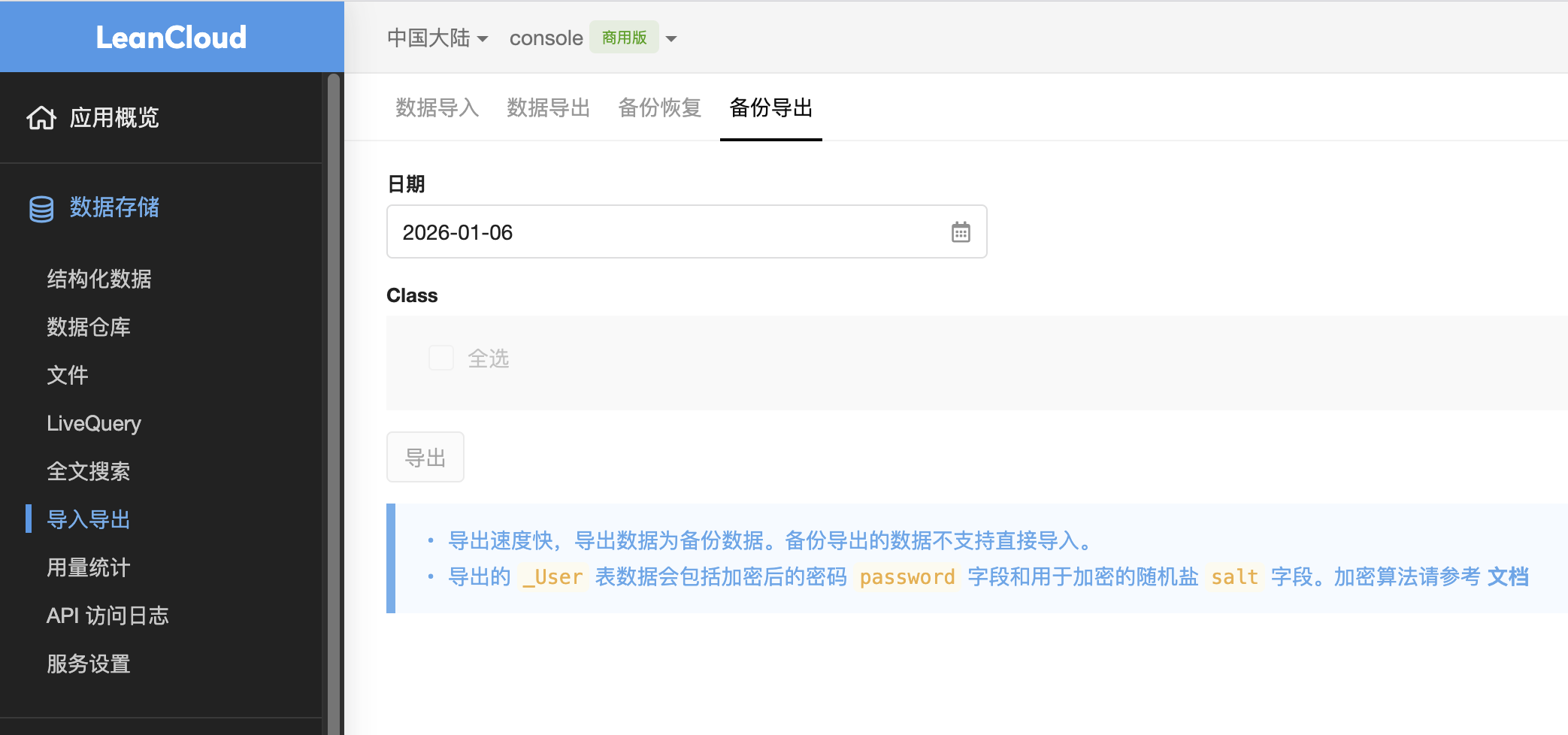
Structured data storage offers several export mechanisms. In the console, go to "Data Storage" > "Import/Export," where you can perform "Data Export" and "Backup Export" separately. Specifically:
- Data Export supports filtering by time range and provides an export file in JSON format;
- Backup Export provides a BSON-format file from that day's early-morning database backup, which can be imported directly into a MongoDB database with mongorestore.
In addition, you can export for migration via the REST API. We recommend using the Scan interface for traversal export. Please refer to the documentation Iterating Over a Class.
Files
File storage mainly consists of file metadata and file content. The file metadata is stored within structured data as the _File table, which you can export by referring to the Data Storage section above.
After obtaining the file metadata, you can iterate over it to construct URLs in the form of the file domain + key, and then download the file content.
Built-in Accounts
Built-in accounts are stored within structured data as the _User table. They are exported in the same way as structured data storage; please refer to the section above.
Note that the password field in the exported data is stored encrypted. For the encryption algorithm, please refer to the documentation Encryption Algorithm for Exported User Data.
Push Notifications
Push notifications mainly consist of device information and push records. The device information is stored within structured data as the _Installation table, which you can export by referring to the Data Storage section above.
Push records are retained only for the last 7 days and can be exported via the REST API. Please refer to Querying Push Records.
Instant Messaging
Instant messaging mainly consists of conversation data and historical messages. The conversation data is stored within structured data as the _Conversation table, which you can export by referring to the Data Storage section above.
Historical messages must be exported via the REST API. You can export all historical messages in the app, or export the historical messages of a specific conversation.
Cloud Engine
Cloud Engine builds images using standard container technology, so you can rebuild and deploy your application on another container cloud platform.
LeanDB Hosted Database
In the instance panel of the console, click the "..." button to export and download a database backup.
SMS
You will need to re-register your signatures and templates with another SMS service provider.
Leaderboards
Leaderboard rankings can be archived through the console, after which you can download the archived CSV to export them.
If you need a leaderboard's hot data, you can perform a traversal export via the REST API. Please refer to Querying a Leaderboard.
Technical Support
If you encounter any problems during data export and migration, you can contact us via a support ticket.
Recommended Alternatives
We recommend Google Firebase as your preferred alternative. If you prefer a self-hosted open-source solution to reduce costs, we recommend building and deploying Parse Platform yourself.
Thank you again for your support of LeanCloud.